Mehna - Field Service Management for Home Service Businesses: SaaS or Single
$89 · one-time payment · full source code · Live demo · Buy on Codester
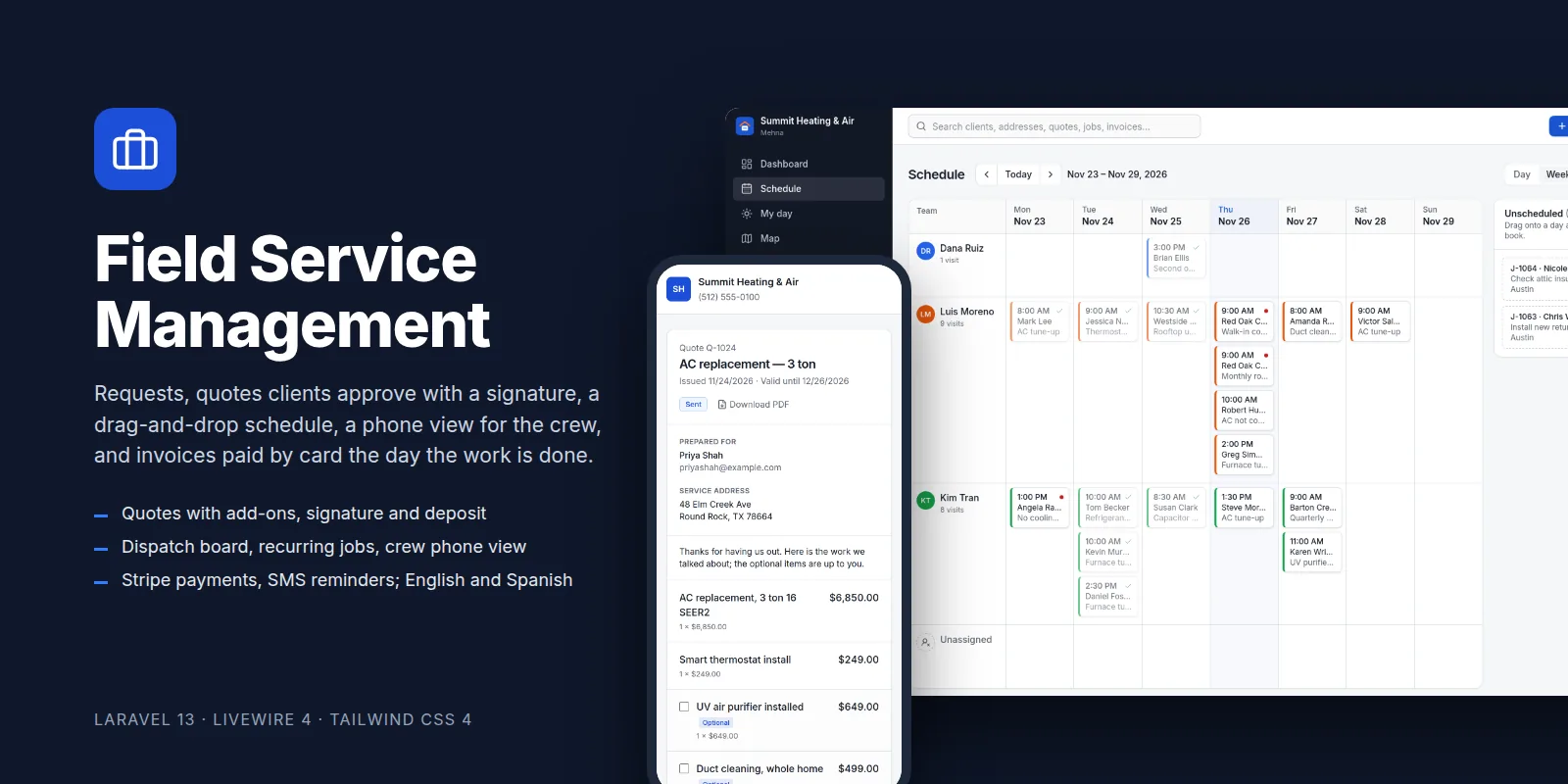
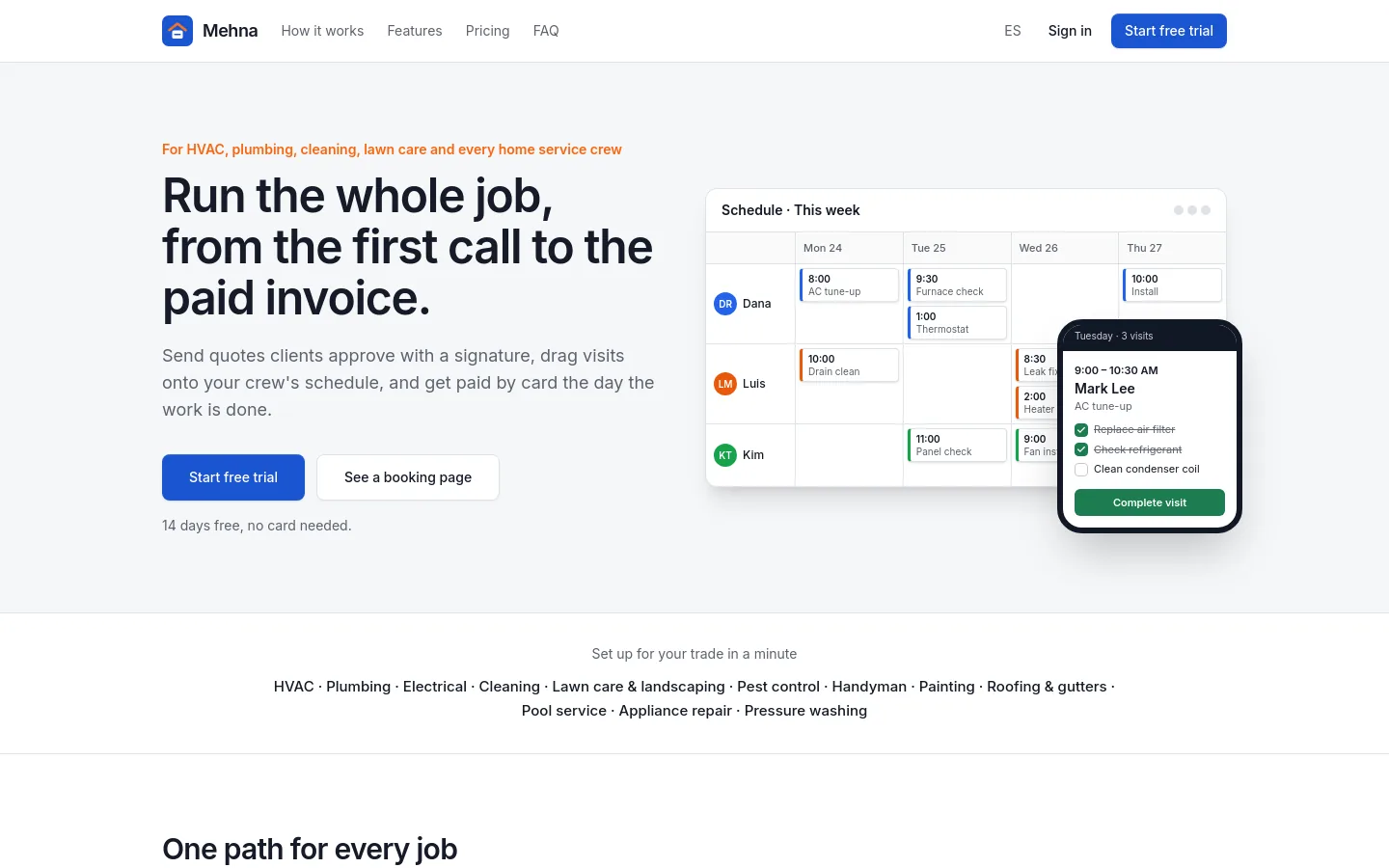
Mehna is self-hosted field service management software for home service businesses: HVAC, plumbing, electrical, cleaning, lawn care, pest control, handyman, painting, roofing, pool service and similar trades. It runs the whole job, from the first request to the paid invoice, and gives the crew everything they need on their phone.
Two ways to use it
- A platform for many companies: home service companies sign up with a free trial and pay you a monthly plan through Stripe subscriptions. You set the plans, limits and features.
- One company: your own business or a client you install it for. No sign-up page, plans or limits; the domain opens the company's booking page.
You choose in the setup wizard and can change it later.
The path of every job
- Requests: clients ask for work on the company's booking page (with photos and a preferred day) or the client portal, or the office takes the call
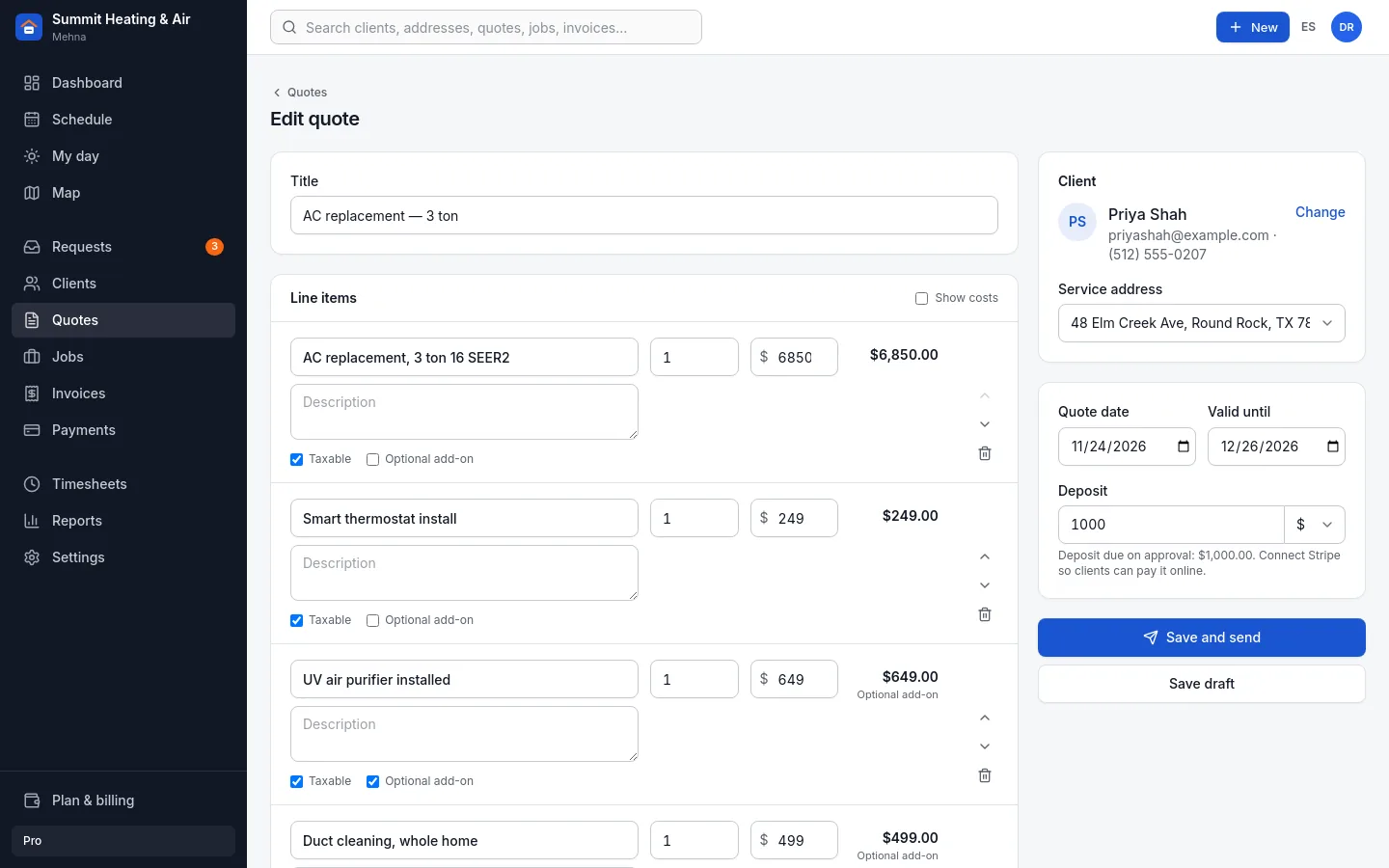
- Quotes: built from the price book with optional add-ons, discount, sales tax and a deposit; sent by email with a PDF and by text
- Online approval: the client ticks the add-ons they want, signs with a finger and pays the deposit by card; the office sees when the quote is opened
- Jobs: an approved quote becomes a job with the chosen lines; one-off or recurring (weekly to yearly), with a checklist and instructions for the crew
- Invoices: one click from a completed job; deposits move onto the invoice; recurring jobs invoice the visits completed since the last invoice
- Payments: clients pay by card through the company's own Stripe account (cards, Apple Pay, Google Pay); cash, checks and bank transfers are recorded by hand; receipts are emailed
Scheduling and dispatch
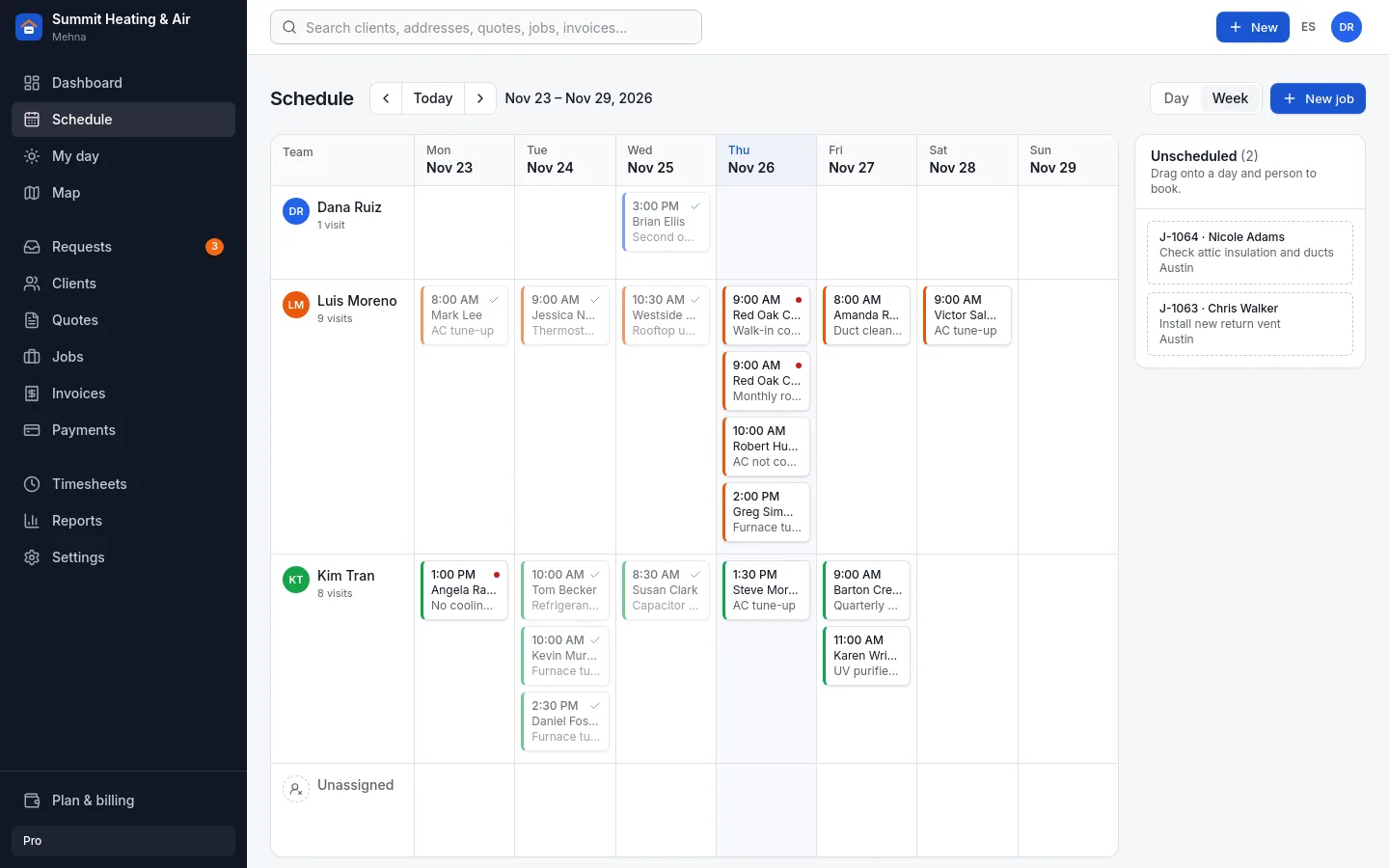
- Week and day dispatch board with a row per technician: drag a visit to another day or person
- Unscheduled work listed beside the board, ready to drag in
- Late visits flagged; the assigned technician gets an email
- Map of the day's visits colored by technician, or of every client
For the crew, on their phone
- My day: visits in order with directions and a call button, and the week ahead
- "On my way" button that texts or emails the client
- Start and finish clock per visit, feeding the timesheets
- Checklist, photos from the phone camera, work notes and the client's signature
- Gate codes and access notes for each address
- Works in any phone browser, no app store
Automatic messages
- Visit reminders the day before
- Quote follow-up when a client goes quiet
- Overdue invoice reminders, at most three
- Google review requests after completed jobs
- Email always; text messages through the company's own Twilio number
- Every message and its outcome listed on the client's record
For the office
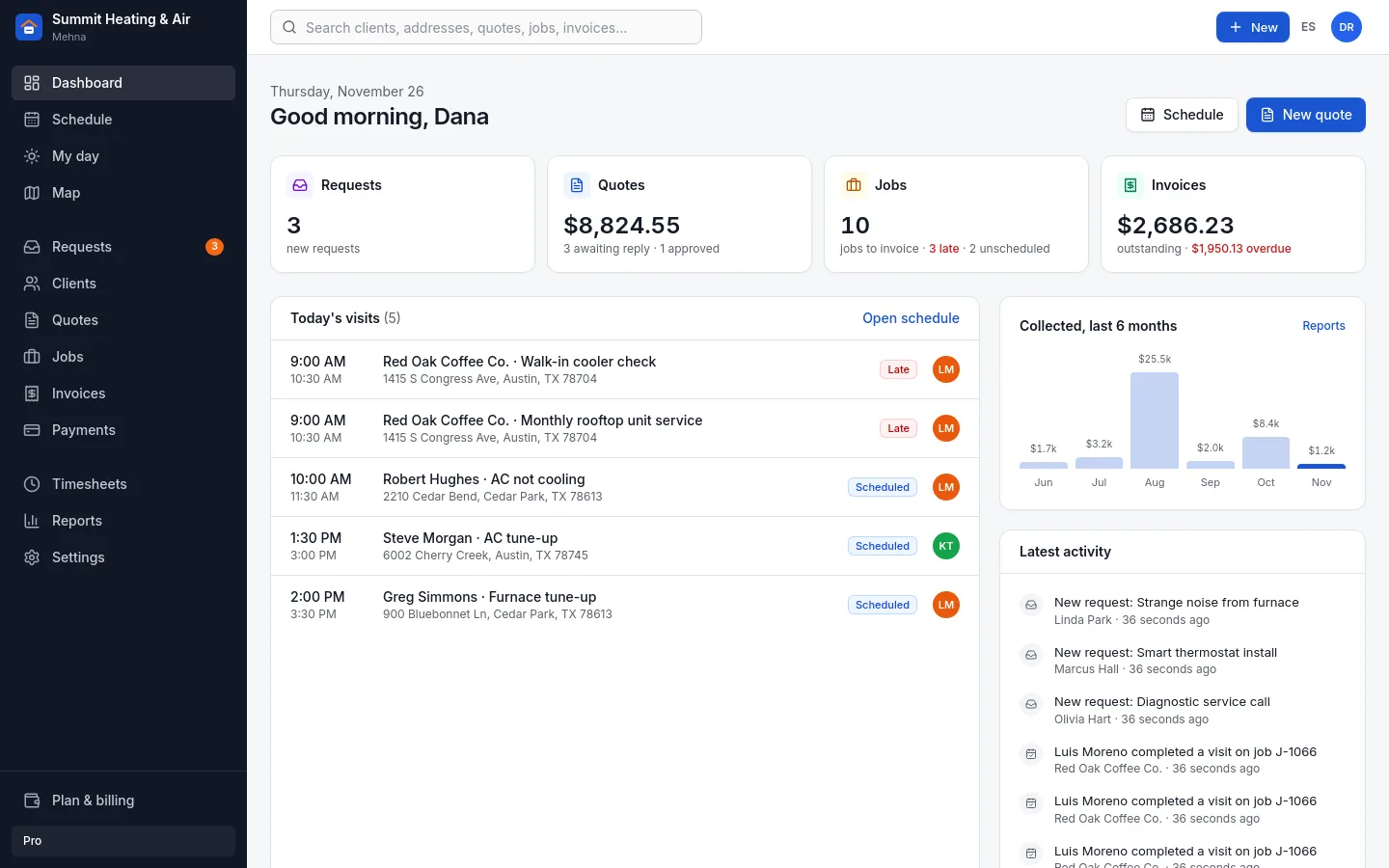
- Dashboard with the work at each stage, today's visits, money collected and the latest activity
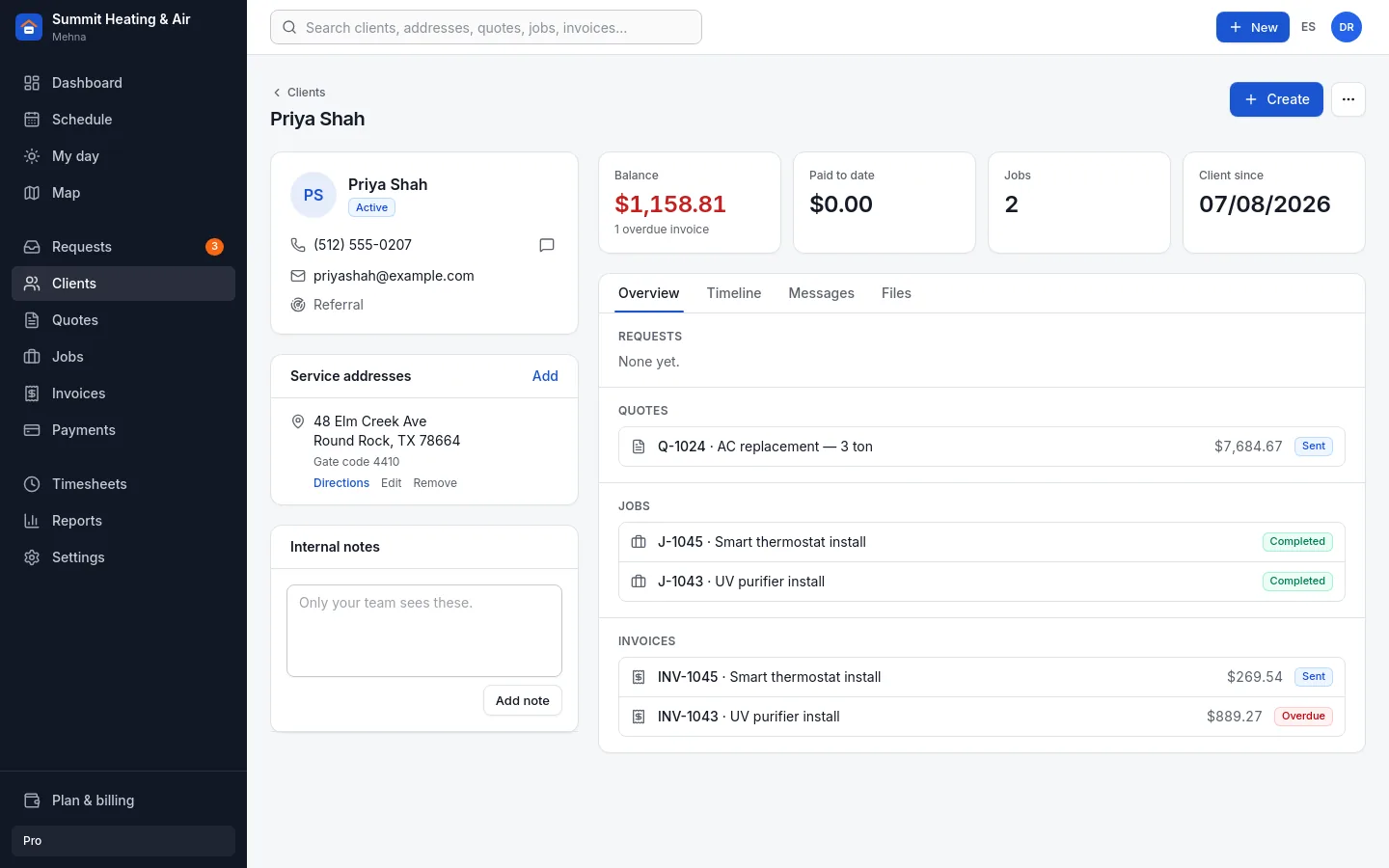
- Clients with several service addresses, access notes, sales tax per address, tags, lead source, internal notes, files, timeline and balance
- Client portal: upcoming visits, quotes to approve, invoices to pay, past work and new requests from one link
- Price book with costs, so jobs show their profit
- Sales tax rates per county, discounts, numbering with your own prefixes
- Reports: collected by month, unpaid invoices by age, sales tax invoiced, quote win rate, revenue by service, new clients by source, visits and hours per person
- Timesheets with manual entries; CSV import of clients and CSV export of clients, quotes, jobs, invoices, payments and hours
- Team roles: owner, office and technician; technicians see only their own visits
- Every screen in English and Spanish; client pages, emails and texts in the company's chosen language
- Any currency, date format and time zone per company
For you, the platform owner
- Plans you create and edit: team members, clients, card payments, text messages, recurring jobs, and removal of your platform name from client pages
- Stripe subscriptions with the customer portal; plans switch on and off by themselves; or payment links for manual billing
- Free trial length for new sign-ups
- Admin panel: companies, plans, monthly revenue, sign in as an owner, installation check
- Landing page with your plans, in English and Spanish
- Each company's data kept apart
Technical
- Laravel 13, Livewire 4, Tailwind CSS 4, PHP 8.3 or newer; MySQL/MariaDB or SQLite
- 3-step web installer; Composer and Node.js are not needed on the server
- Stripe and Twilio over their APIs, keys stored encrypted; no other paid services needed
- 74 automated tests, run on SQLite and MySQL
- Full buyer guide with screenshots: installation on shared hosting and VPS, Stripe and Twilio setup, admin, owner and technician guides, customising, troubleshooting
Not included
A native mobile app (the crew uses the phone browser), QuickBooks or Xero sync (CSV export instead), GPS tracking of technicians, and payment gateways other than Stripe.
Try the demo
Click Live demo and sign in as the owner of an HVAC company in Austin with [email protected] / password: open the Schedule and drag a visit, open a quote and view it as the client, create an invoice from a job in Jobs → To invoice. Sign in as the technician with [email protected] / password on a phone to see the field view. The platform admin is [email protected] / password. The demo resets every night.
Changelog
Updates are free for buyers. Newest version first.
1.1.0 · November 2026
- Improved: reports and payment totals include the last day of the range on SQLite.
- Improved: technicians see the files of their own visits.
- Improved: phone photos saved upright and separate limits per page; new
TRUSTED_PROXIESsetting. - Updating from 1.0.0: upload the files over the old ones (keep your
.env), runphp artisan migrate --force, then runphp artisan config:clear,view:clearandroute:clear. Behind Cloudflare, addTRUSTED_PROXIES=*to.env.
1.0.0 · November 2026
- First release.