PageAudit — SEO Checker Browser Extension (Chrome, Edge, Firefox)
$29 · one-time payment · full source code · Live demo · Buy on Codester
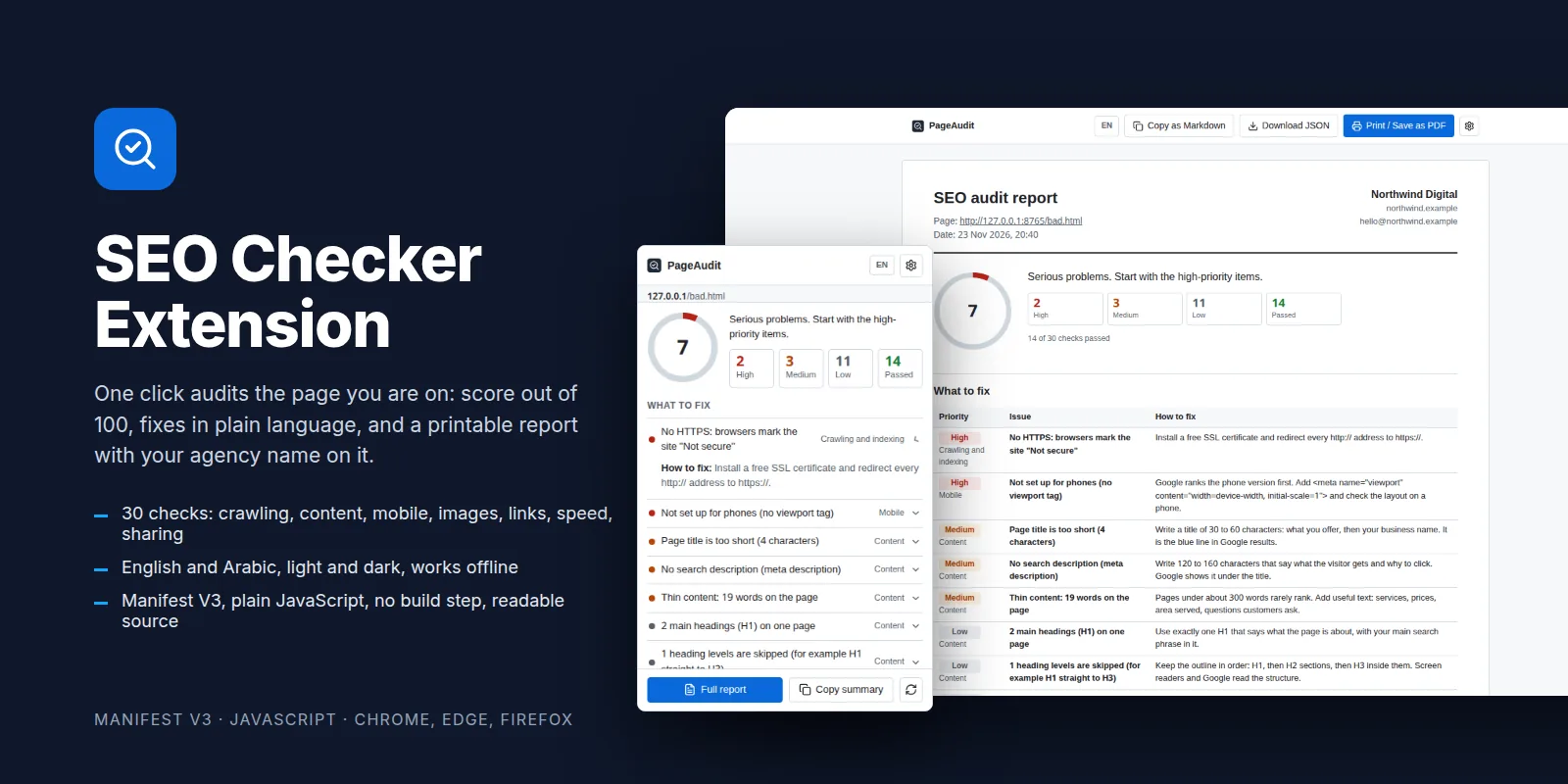
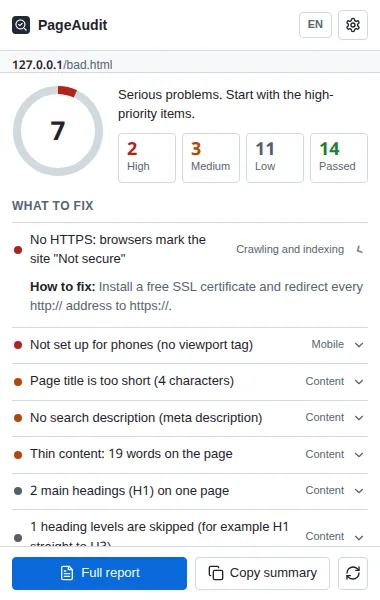
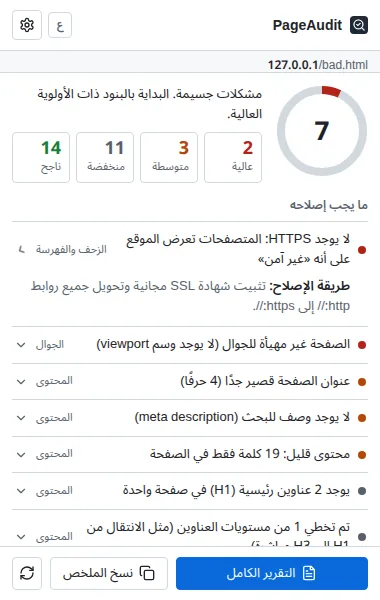
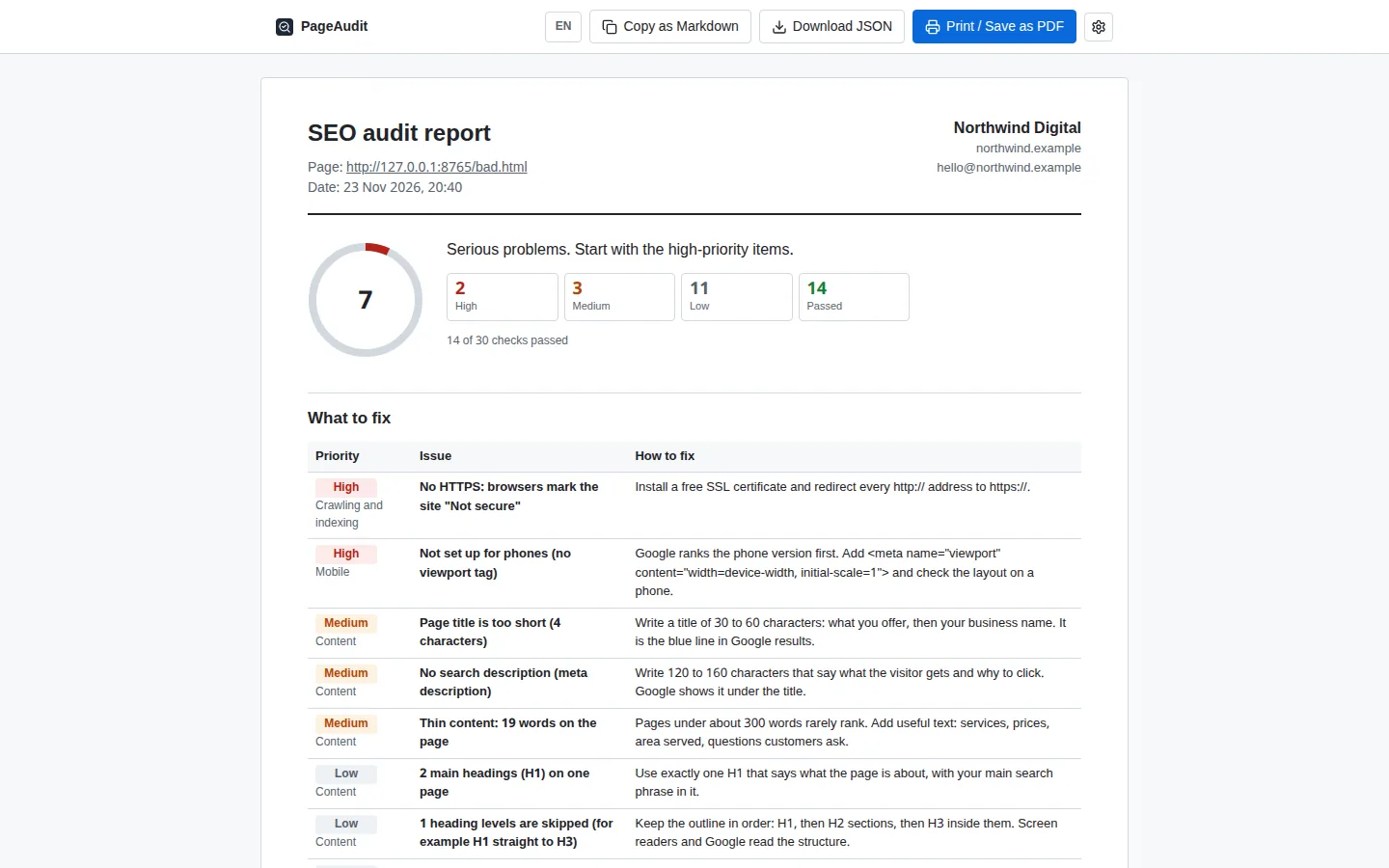
PageAudit is a browser extension that audits the SEO of the page you are on. Click the icon and in a second you get a score out of 100, the problems sorted by priority and a plain-language fix for each one, in English or Arabic. Open the full report, add your agency name and print it as a PDF for the client.
Sold as readable source code (Manifest V3, plain JavaScript, no build step) so you can rename it, change the colours and publish it under your own developer account on the Chrome Web Store, Edge Add-ons and Firefox Add-ons.
What it checks (30 checks)
- Crawling and indexing: HTTPS, noindex, robots.txt, sitemap, canonical, redirects, mixed content, HTTP status
- Content: title and description length, one H1, heading order, thin content, declared language
- Mobile: viewport tag
- Images: missing alt text with the list, oversized images, missing width and height
- Links: empty links (#, javascript:), links without text
- Speed: server response time, full load time, page weight, number of requests, HTML size, DOM size
- Sharing and rich results: Open Graph tags, structured data (JSON-LD) validity, favicon
Features
- Popup with score ring, counts by priority, expandable fixes and the list of passed checks
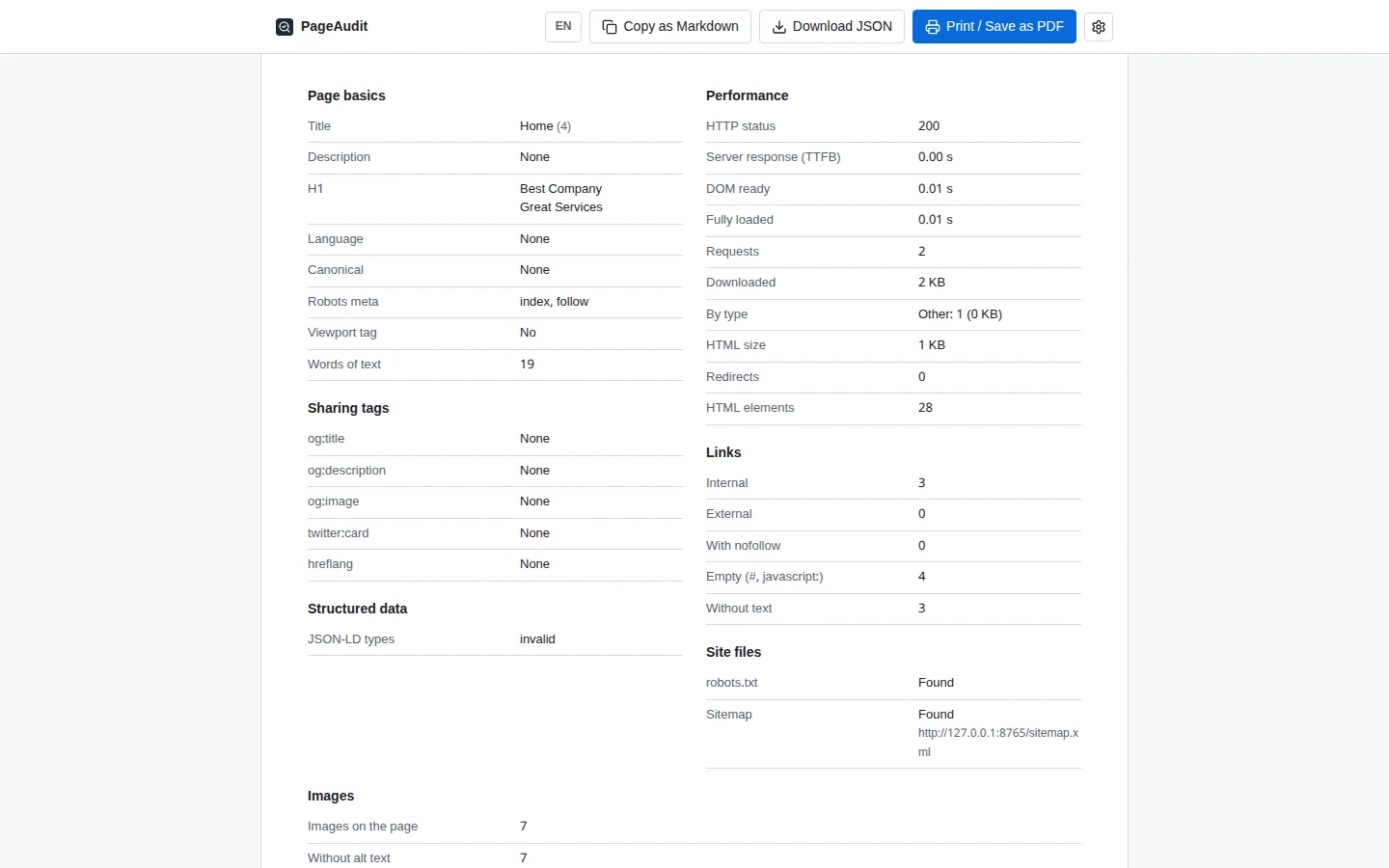
- Full report page: findings table, page basics, sharing tags, structured data, performance by file type, links, site files, images without alt text, heading outline, every meta tag
- Print / Save as PDF with a clean print layout; Copy as Markdown for emails and tickets; Download JSON
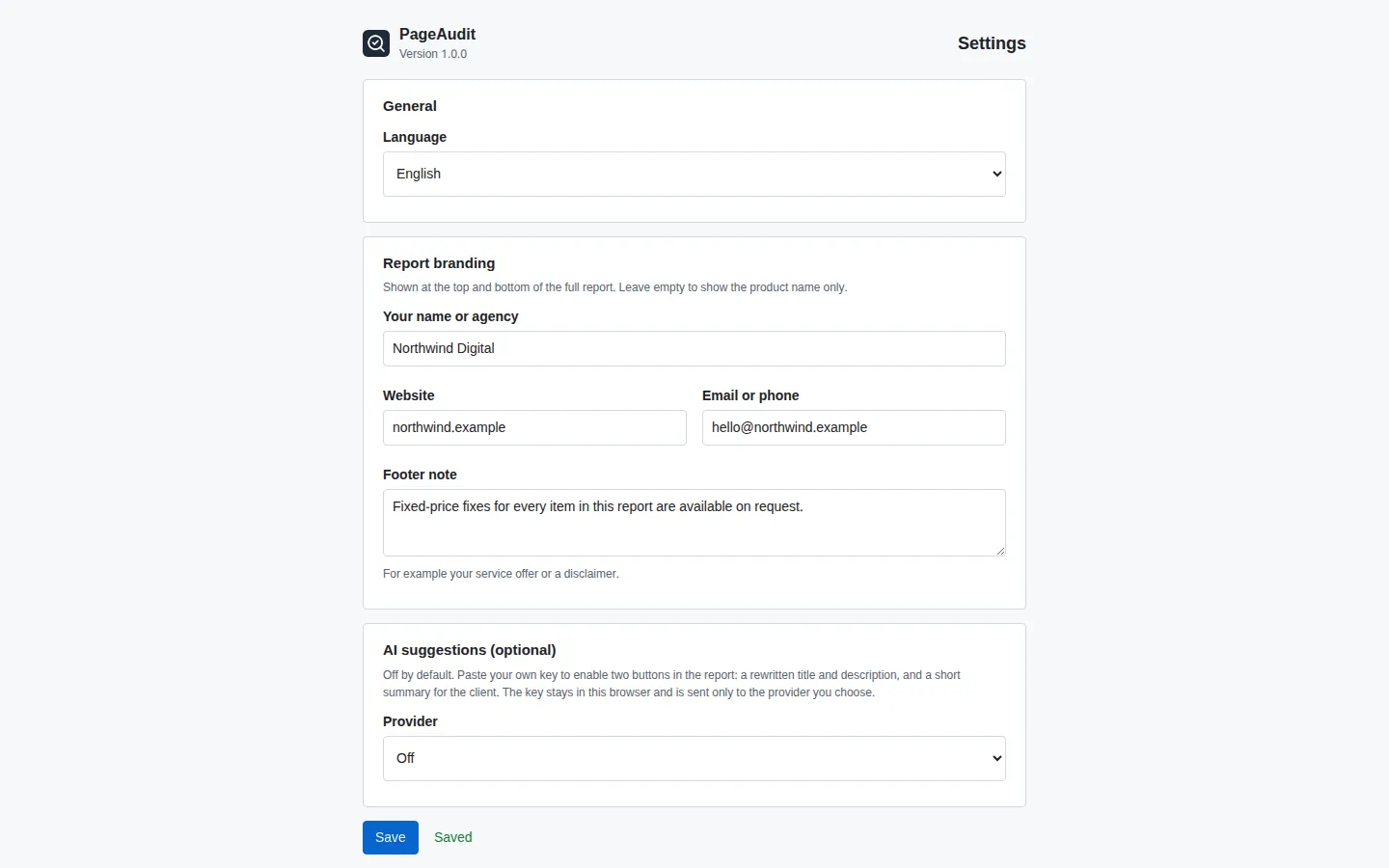
- White-label: your name, website, contact and a footer note on every report
- English and Arabic interface and findings, right-to-left layout, light and dark mode
- Optional AI suggestions, off by default: with the user's own Claude or OpenAI key, two extra buttons write a better title and description and a short client summary. The key stays in the browser
- History of the last 30 audits in Settings
Simple to run
- Everything runs in the browser: no account, no server, no monthly fee, no API key
- Permissions: activeTab, scripting and storage only; AI provider hosts are optional permissions requested when a key is saved
- No analytics, no update pings, no remote code
For developers
- Manifest V3, ES modules, no framework, no bundler, no dependencies
- One file holds the checks: each check is an object with a rule and its two-language text; add a check in ten lines
- Unit tests for the rules (node --test)
- Works in Chrome, Edge, Brave, Opera and Firefox 128 or newer
Not included
Whole-site crawling, rank tracking and backlink data. It audits the page in the current tab.
What you get
Full source code, a buyer guide with screenshots (installation, every check and its threshold, rebranding, adding a language, publishing to the three stores with a privacy policy template, troubleshooting), and a licence for one end product.
Try the demo
Click Live demo: the extension's own popup and report run there against three sample web pages, one with many SEO problems, one in good shape and one in Arabic. Choose a page, press the PageAudit button in the demo's browser toolbar, then open Full report. No sign-in is needed. The installed extension audits any page you open in your browser.
Changelog
Updates are free for buyers. Newest version first.
1.0.0 First release: 30 checks, English and Arabic, popup, full report with print layout, Markdown and JSON export, report branding, optional AI suggestions with Claude or OpenAI, history, unit tests.