TicketFlow — Event Ticketing Platform
$19 · one-time payment · full source code · Live demo
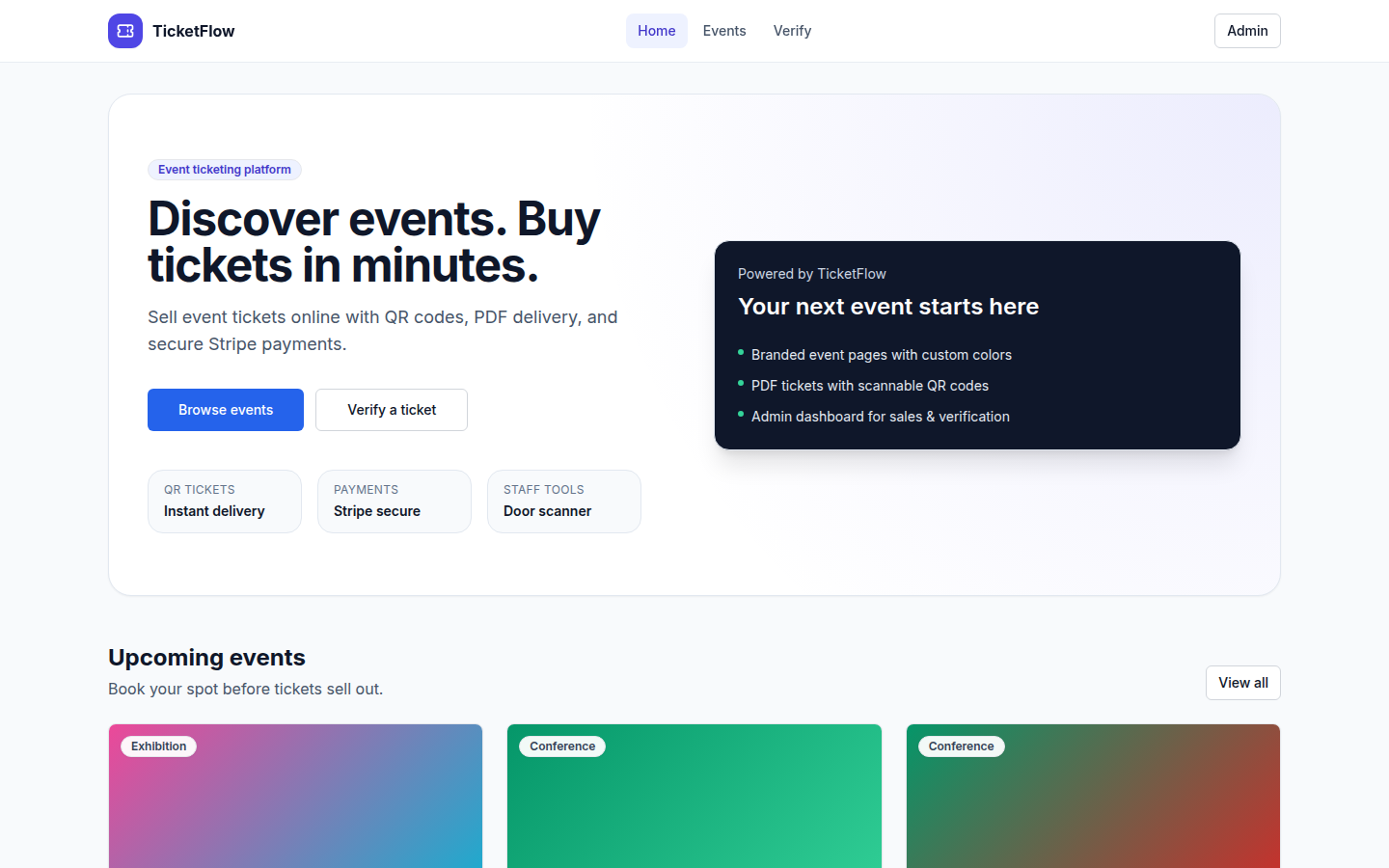
A production-ready Laravel event ticketing platform for selling tickets online with branded event pages, Stripe payments, instant QR delivery, PDF downloads, and door-check verification. TicketFlow ships with a modern public storefront, full admin panel, role-based staff access, demo events (including a free-ticket example), and configurable site settings — ideal for concerts, conferences, workshops, meetups, or any organizer who needs a credible ticketing site out of the box.
Features
- Public Storefront & Homepage — Modern landing page with hero, feature highlights, and a grid of upcoming events. Sticky header with mobile navigation, flash alerts, and configurable site name/description from admin settings. Event cards show cover images or gradient fallbacks, category badges, sold-out states, venue/date info, and one-click purchase CTAs.
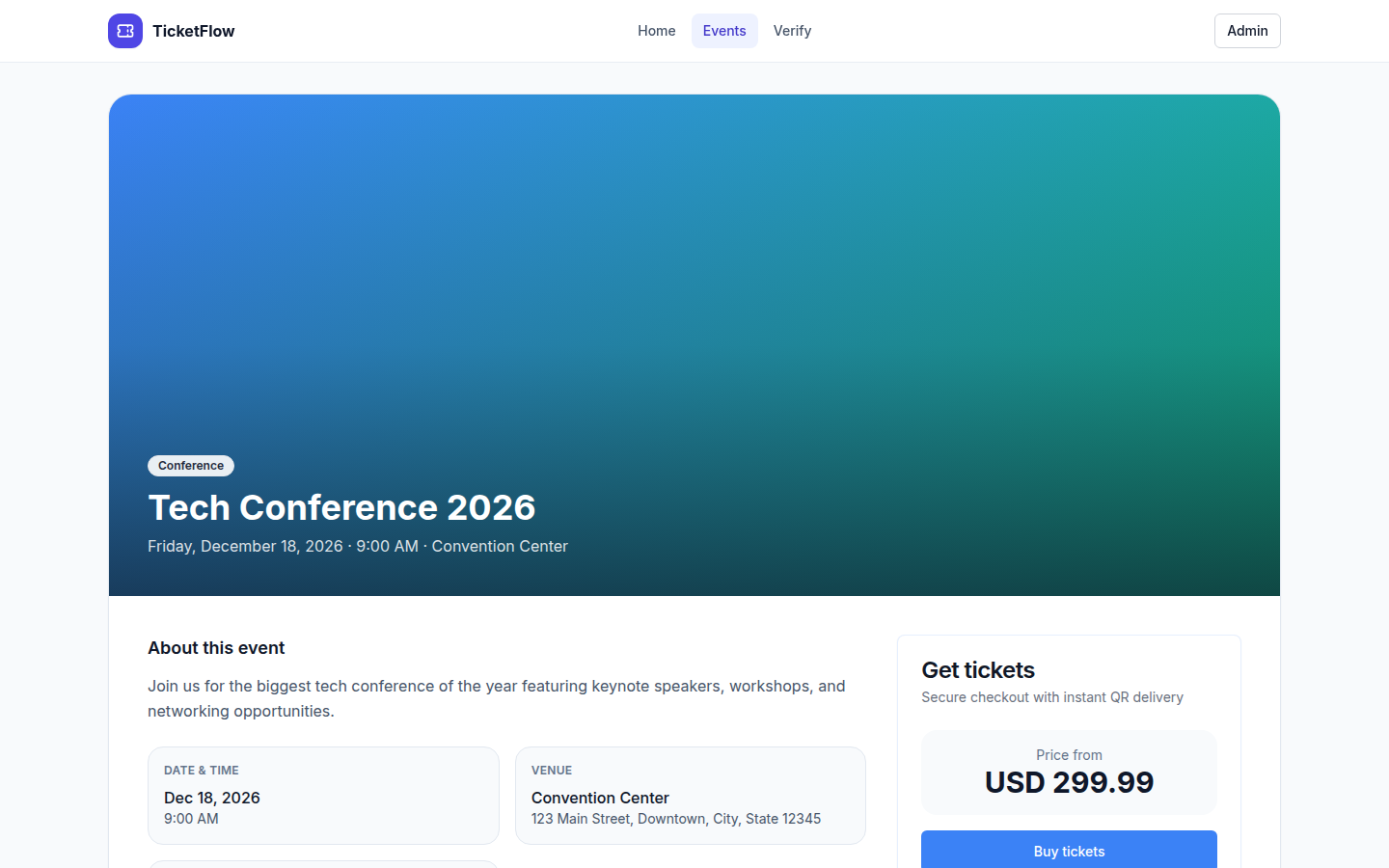
- Event Discovery & Detail Pages — Dedicated events listing with search (title, description, venue) and category filter — concert, conference, workshop, sports, theater, exhibition, and other. Event detail pages include cover/gradient hero, full description, venue and address, availability counter, and a sticky purchase sidebar that adapts to each event's brand colors.
- Branded Event Pages — Each event supports custom primary, secondary, and accent colors plus logo and cover image uploads from the admin panel. Public purchase flow, wallet-style ticket page, and PDF downloads inherit the event palette automatically.
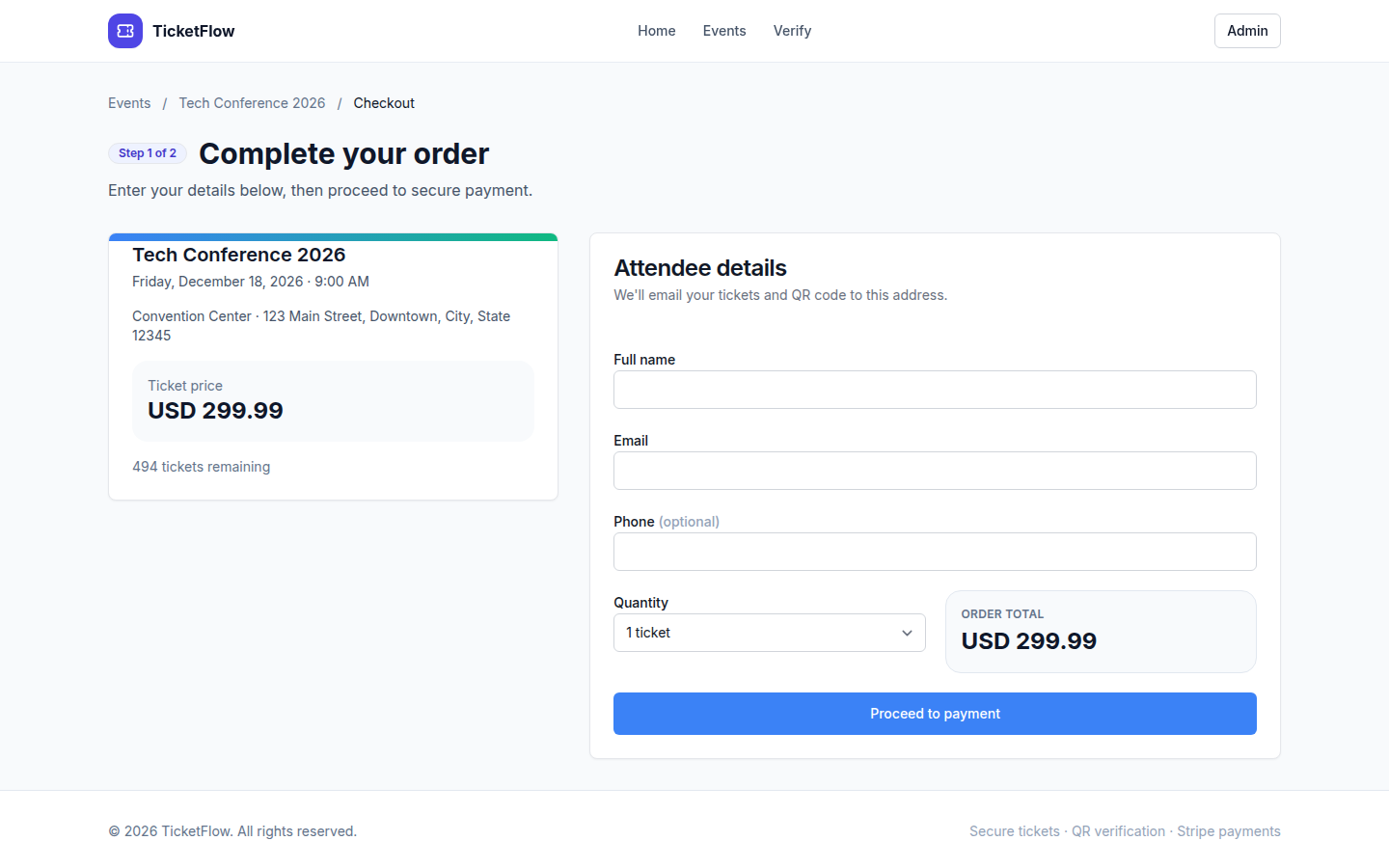
- Ticket Purchase Flow — Step-by-step checkout: attendee name, email, optional phone, quantity selector with live order total, and capacity-aware limits. Respects admin-configured max tickets per order. Sold-out events block purchase; inactive events are hidden from the public.
- Free & Paid Checkout — Set any event price to $0 for free registration — customers receive instant QR tickets with no Stripe step. Paid events redirect to secure Stripe checkout. Test purchase mode available in admin settings for staging demos without real charges.
- Stripe Payments — Stripe Payment Intents with card checkout UI, payment success/cancel handling, and webhook support for `payment_intent.succeeded` and `payment_intent.payment_failed`. Stripe public/secret keys and webhook secret configurable in Admin → Settings → Payment. Receipt email address passed to Stripe on checkout.
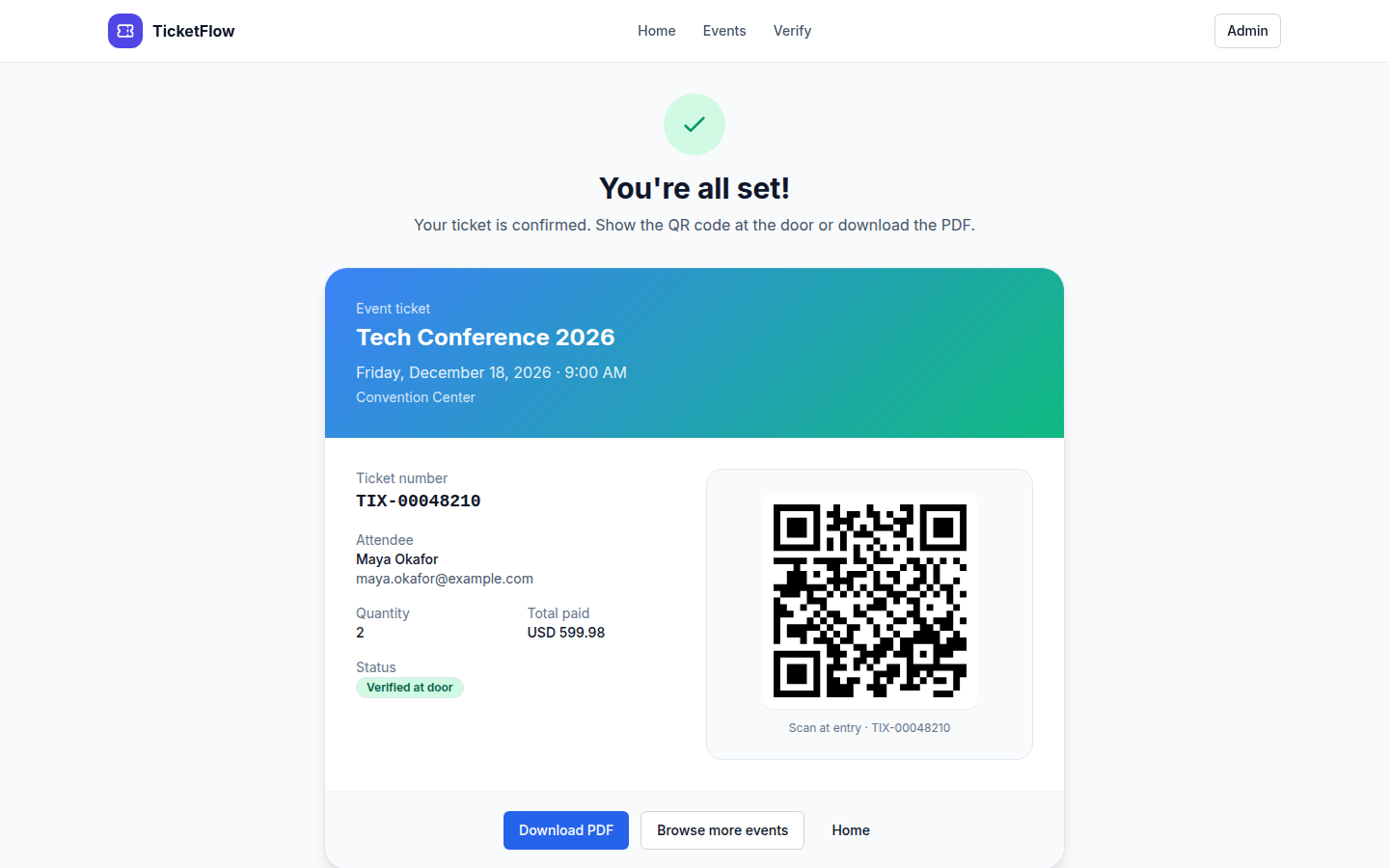
- Wallet-Style Ticket Confirmation — After payment (or free checkout), customers land on a branded confirmation page with event details, attendee info, payment status, scannable QR code, PDF download button, and important entry instructions.
- Branded PDF Tickets — Downloadable PDF tickets via DomPDF with event-colored borders and headers, customer and event details, embedded QR code (SVG), Free/Paid badges, verification URL, and site branding in the footer. Available to customers and from the admin ticket view.
- QR Code Generation — Every ticket gets a unique prefixed number (configurable prefix, e.g. `TIX-`) and a QR code pointing to the public verification URL. QR data stored as JSON for audit and scanner parsing.
- Public Ticket Verification — Configurable public verification when enabled in settings. Manual lookup by ticket number at `/verify` plus direct URL access at `/verify/{ticket_number}`. Read-only status check — shows valid, already verified, or invalid without altering ticket state. Verification attempts logged to the database.
- QR Camera Scanner — Live camera scanner at `/verify/scanner` using html5-qrcode. Parses verification URLs and JSON QR payloads, then redirects to the ticket result page. Includes manual fallback form and mobile-friendly controls.
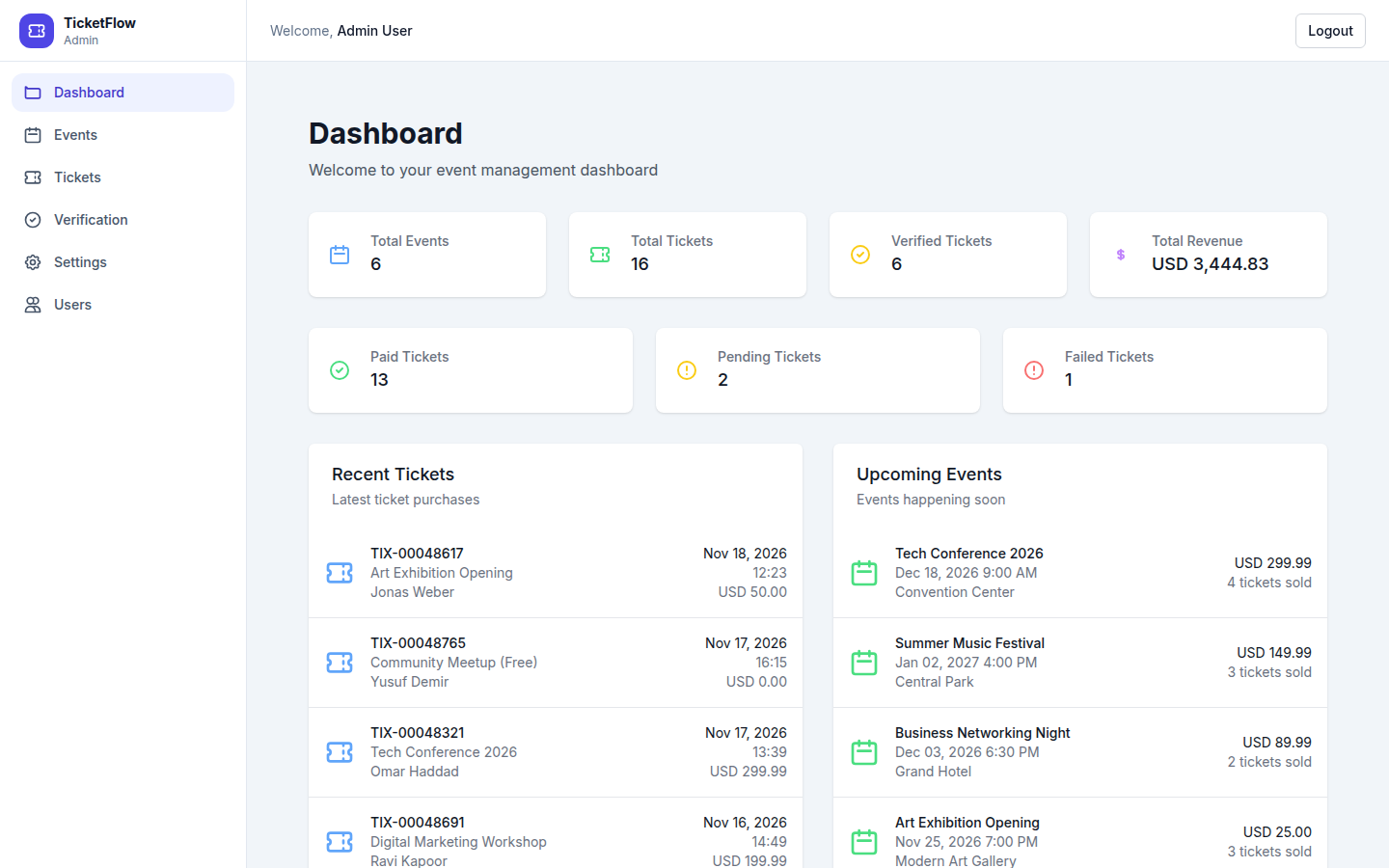
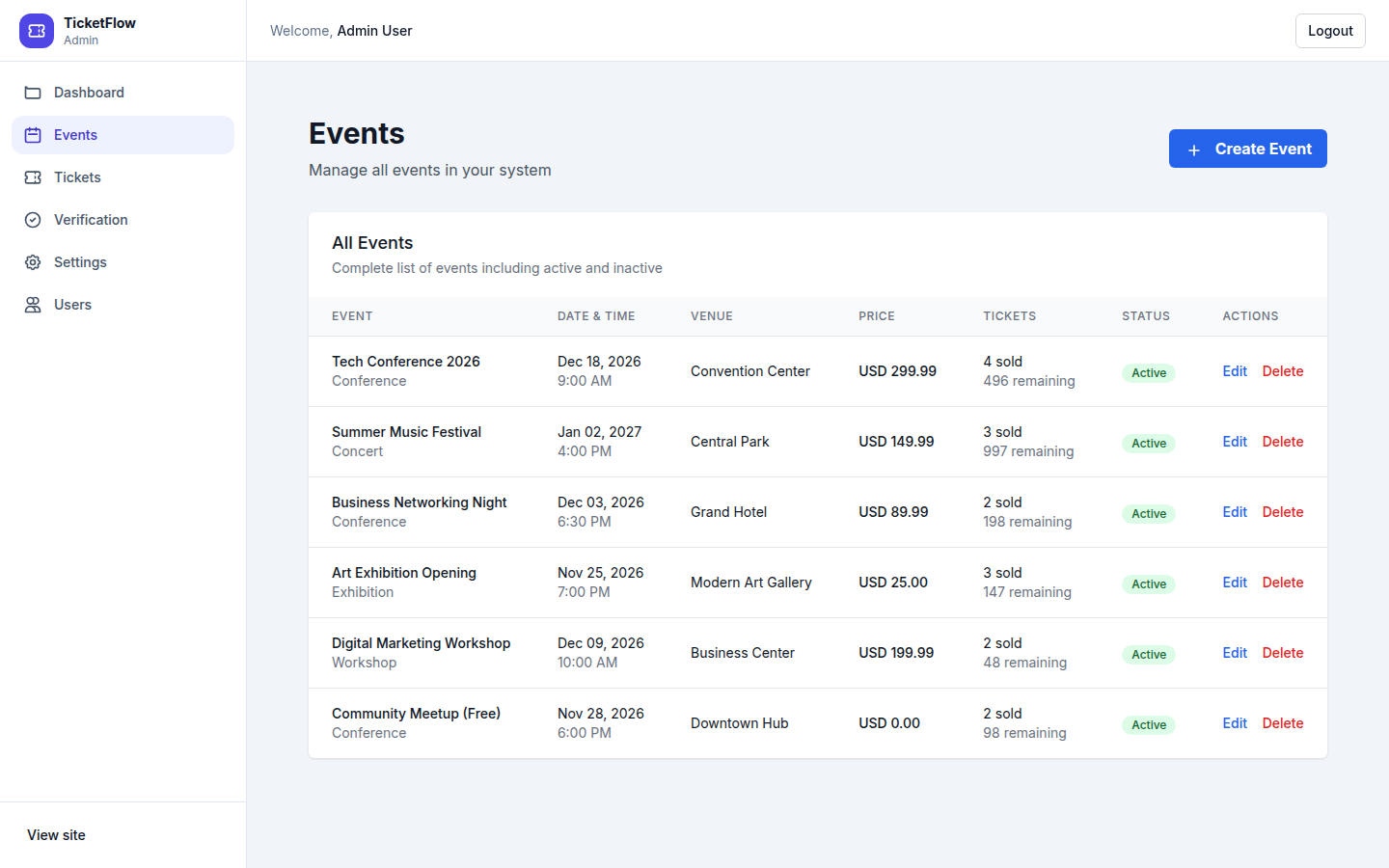
- Admin Dashboard — At-a-glance stats: total/active events, ticket counts (paid, pending, failed, verified), total revenue, recent tickets, and upcoming events. Indigo-themed responsive admin layout with collapsible mobile sidebar.
- Event Management (Admin) — Full CRUD for events — title, description, category, date/time, venue, address, price, currency, capacity, active toggle, and branding fields (colors, logo, cover image). Create/edit forms with image uploads. Event statistics on edit: tickets sold, revenue, availability.
- Ticket Management (Admin) — Browse all tickets with payment status filtering. View full ticket details, customer info, QR code, verification status, and download PDF. Track paid, pending, and failed payments per order.
- Staff Verification Tools — Admin verification dashboard with scanner page for door check-in, one-click ticket verify action, and verification history log. Permission-gated routes for staff vs managers vs admins.
- Verification Logging — Every public and staff verification attempt stored with ticket number, status, IP, user agent, method, and metadata — useful for audit trails and troubleshooting entry issues.
- Site Settings (Three Tabs) — **General** — site name, description, default currency, ticket prefix, max tickets per order, email notification toggle, email signature. **Verification** — method (staff only, customer self-check, public), instructions text, and related flags. **Payment** — Stripe keys, webhook secret, payment methods, auto-confirm, and test purchase mode. All persisted to the database — no code changes needed.
- Roles & Staff Management — Spatie Laravel Permission with three staff roles: **Admin** (full access), **Manager** (events + verification + reports), **Staff** (verify tickets only). Admin user CRUD at `/admin/users` for creating/editing/deactivating staff accounts. Session-based permission middleware on sensitive routes.
- Demo Seed Data — Six sample events including paid and free options, with realistic dates, categories, capacities, and brand colors. Seeded admin (`admin` / `password`), manager, and staff accounts for instant screenshot-ready demos.
- Live Demo — ticket-flow.eleviatech.com — **Public site (no login needed)** — browse and buy tickets like a customer: - Homepage: https://ticket-flow.eleviatech.com/ - Browse events: https://ticket-flow.eleviatech.com/events - Ticket verification: https://ticket-flow.eleviatech.com/verify - QR scanner: https://ticket-flow.eleviatech.com/verify/scanner Click any event to open its page and try the purchase flow. Free events skip payment; paid events use Stripe test mode if enabled in admin settings. **Admin panel** — manage events, tickets, and settings: - Go to: https://ticket-flow.eleviatech.com/admin/login - **Admin** — Username: `admin` — Password: `password` - **Manager** — Username: `manager` — Password: `password` - **Staff** — Username: `staff` — Password: `password` After login you land on the admin dashboard. Change all passwords before going live.
- Developer-Ready Laravel Stack — PHP 8.2+, Laravel 12, Blade templates, Tailwind CSS 3, Vite 6, Simple QR Code, DomPDF, Stripe PHP SDK, and Spatie Permission. SQLite default for local demo; MySQL/MariaDB ready for production. Documented `.env.example`, `install.php` helper, `STRIPE_SETUP.md` guide, production asset build to `public/build/`, and `./deploy.sh` zip packaging script. - **Laravel 12 + Blade**: Server-rendered, SEO-friendly public pages — no React admin build required - **Tailwind CSS + Vite**: Modern responsive UI on public site and admin panel - **Stripe Integration**: Payment Intents, webhooks, and test mode for staging - **DomPDF + QR Codes**: Branded printable tickets with scannable codes - **Spatie Permission**: Role-based staff access out of the box - **Self-Hosted Ready**: Deploy on any PHP 8.2+ server (VPS, shared hosting, Laravel Forge) - **PrimeCodeMarket License**: Single-use commercial license with README and setup docs